 EUR
EUR en
enHow to get UETS in Turkey?
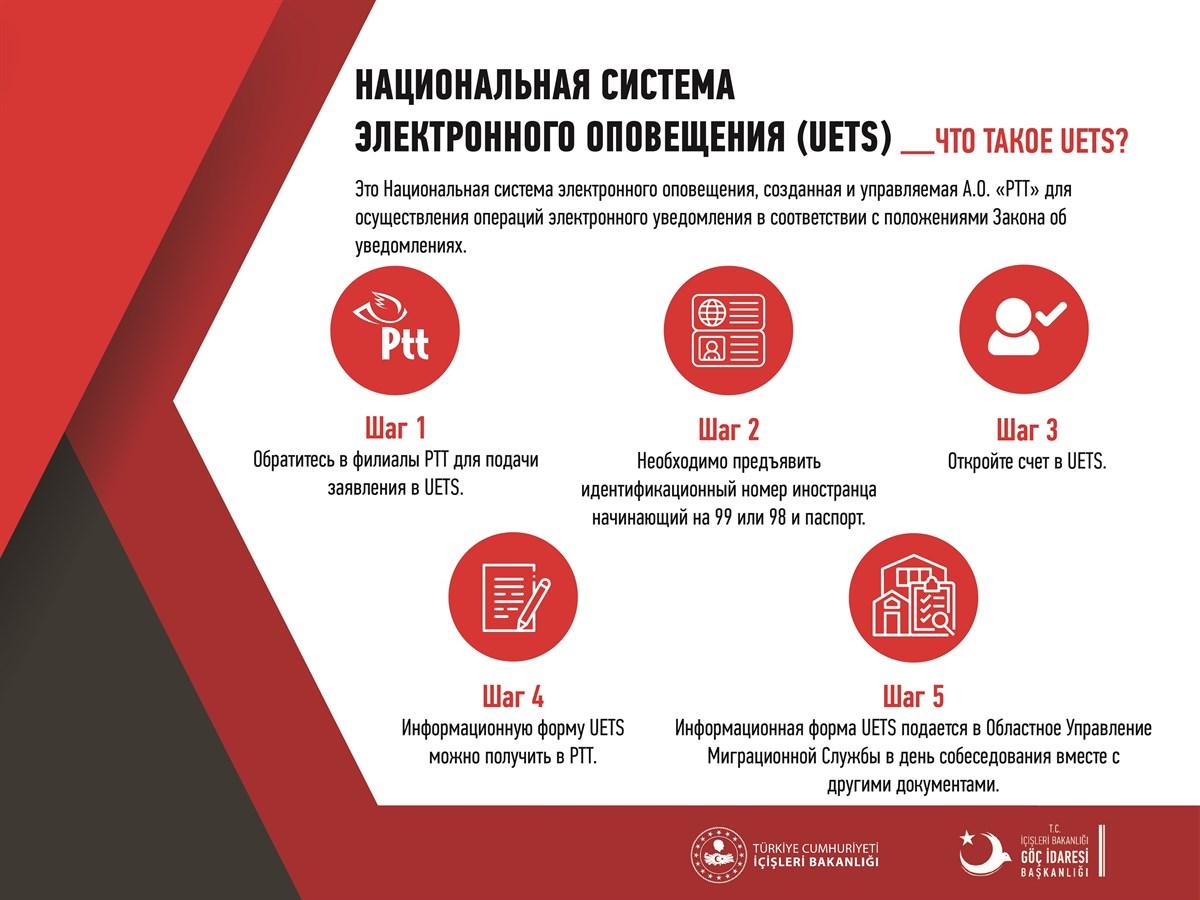
Those who have recently applied for an extension of the TVN in Turkey already know that the migration service requires to provide the address of the UETS. Below is a detailed instruction on how to register the UETS address online:
- Go to your account at https://www.turkiye.gov.tr/
- in the top right corner on the icon with your name, click on "Güvenlik ve Ayarlar"
- on the left side of the page click on the tab "İki Aşamalı Giriş işlemleri"
- confirm your telephone number or e-mail address ("Kimlikle Doğrulanmış Telefon Numaranız" or "Kurtarma e-Pousisı"). After confirmation, the status will change to "Aktif".
To print the UETS address:
- Register in the UETS system. To do this, go to ptt.etebligat.gov.tr/login
- Enter your address in Turkish, telephone number, postal address and profession.
- Check the box in front of "Add"
- click on your name at the top of the page and click on the tab "Hesap Bilgileri"
- after your profile is opened, click on the tab "Sözleşmeler"
- Opposite the tab "Hesap Bilgileri" click on the blue button "Bilgileri Yazdir" - click on it and download the document.
What is the UETS system you can read in our post: https://t. me/alanyabrand/7422


